1
Pin Colorblind Filter
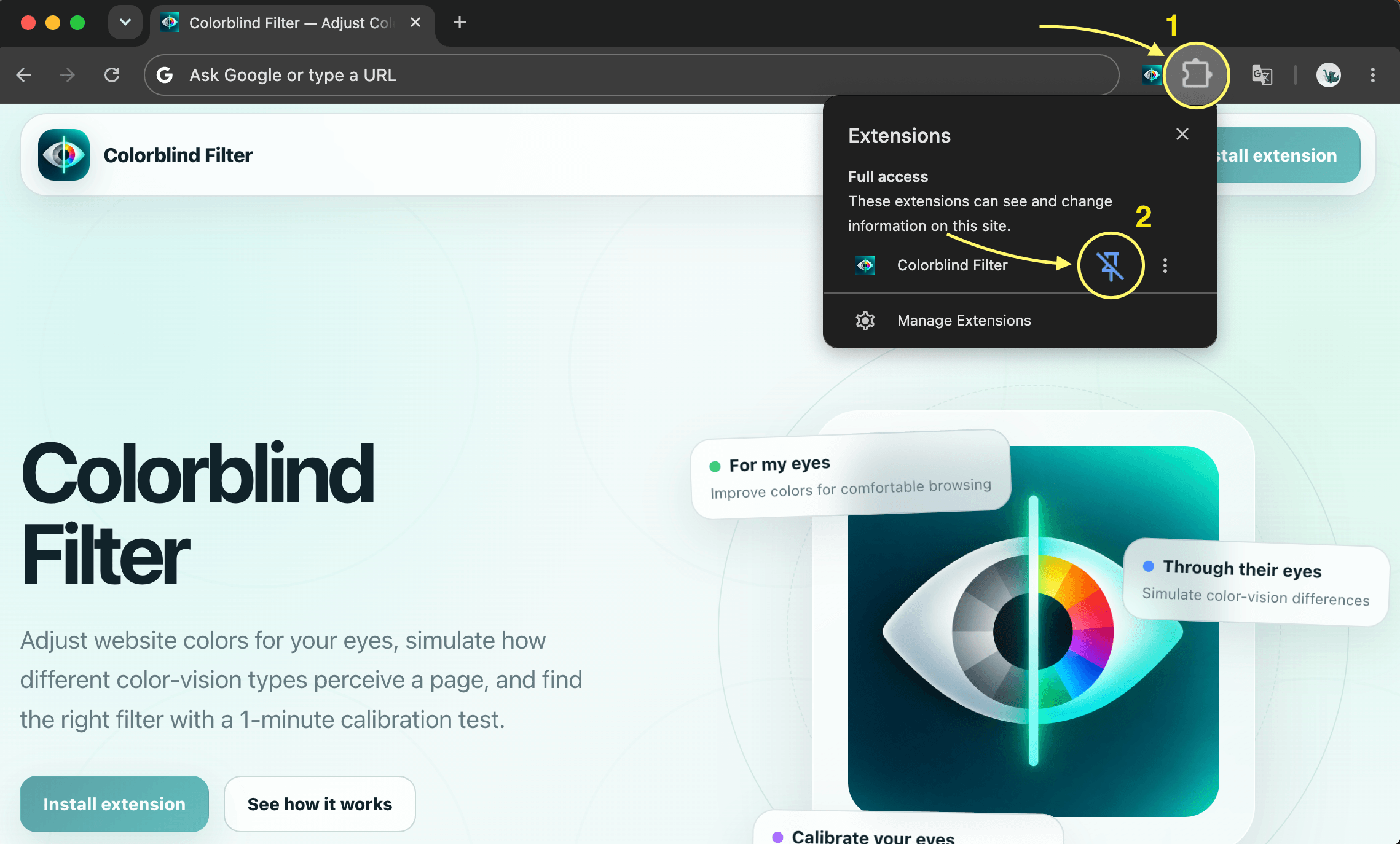
Open Chrome’s Extensions menu and pin Colorblind Filter so it stays one click away in your toolbar.
Pin Colorblind Filter, choose the mode that matches what you want to do, and run the 1-minute calibration if you want help finding an adjustment.
Open Chrome’s Extensions menu and pin Colorblind Filter so it stays one click away in your toolbar.
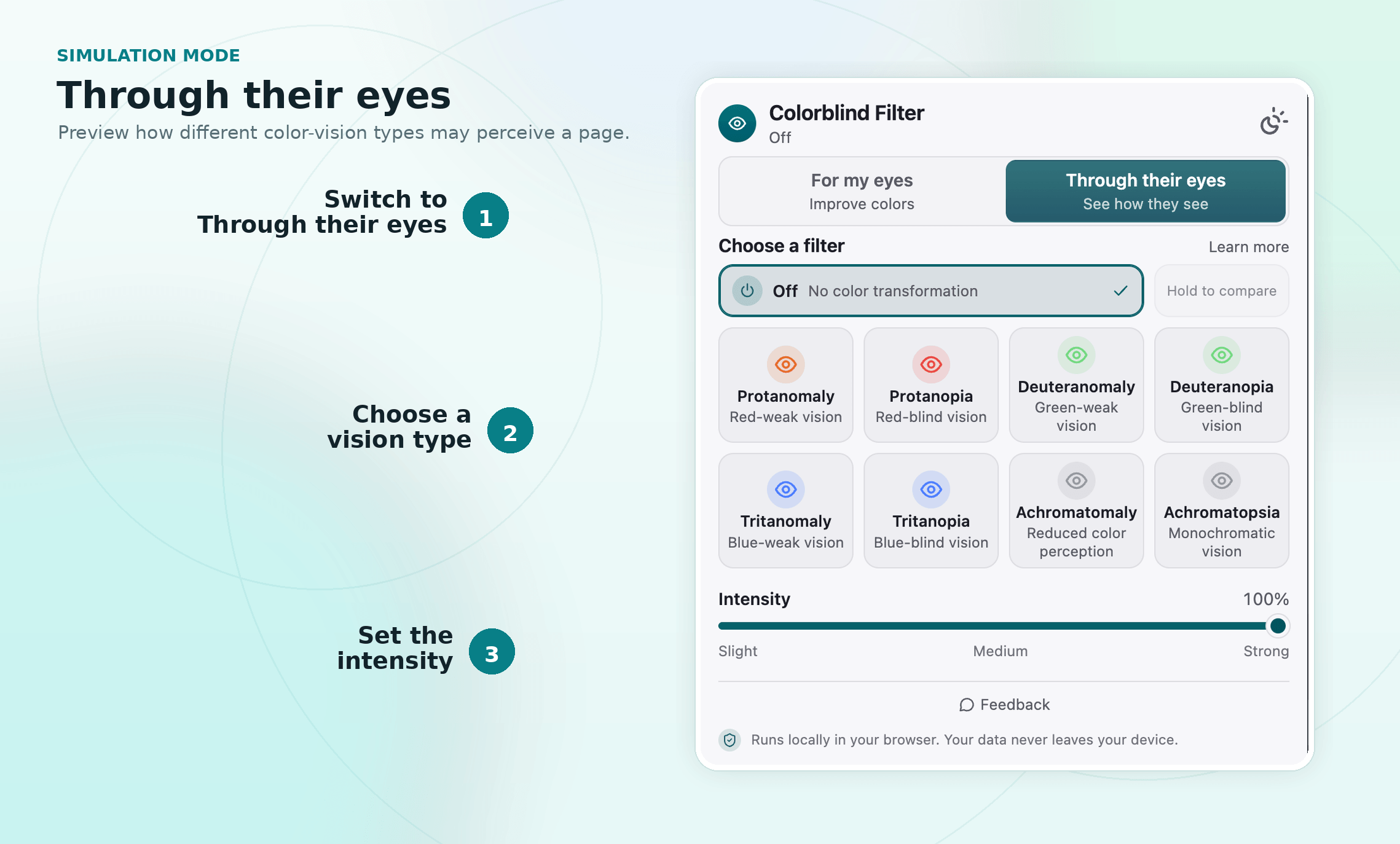
Switch to Through their eyes, choose a color-vision type, and set the intensity to simulate how the current page may be perceived.
Use For my eyes to choose a Protan, Deutan, or Tritan adjustment and tune its intensity for more comfortable browsing.
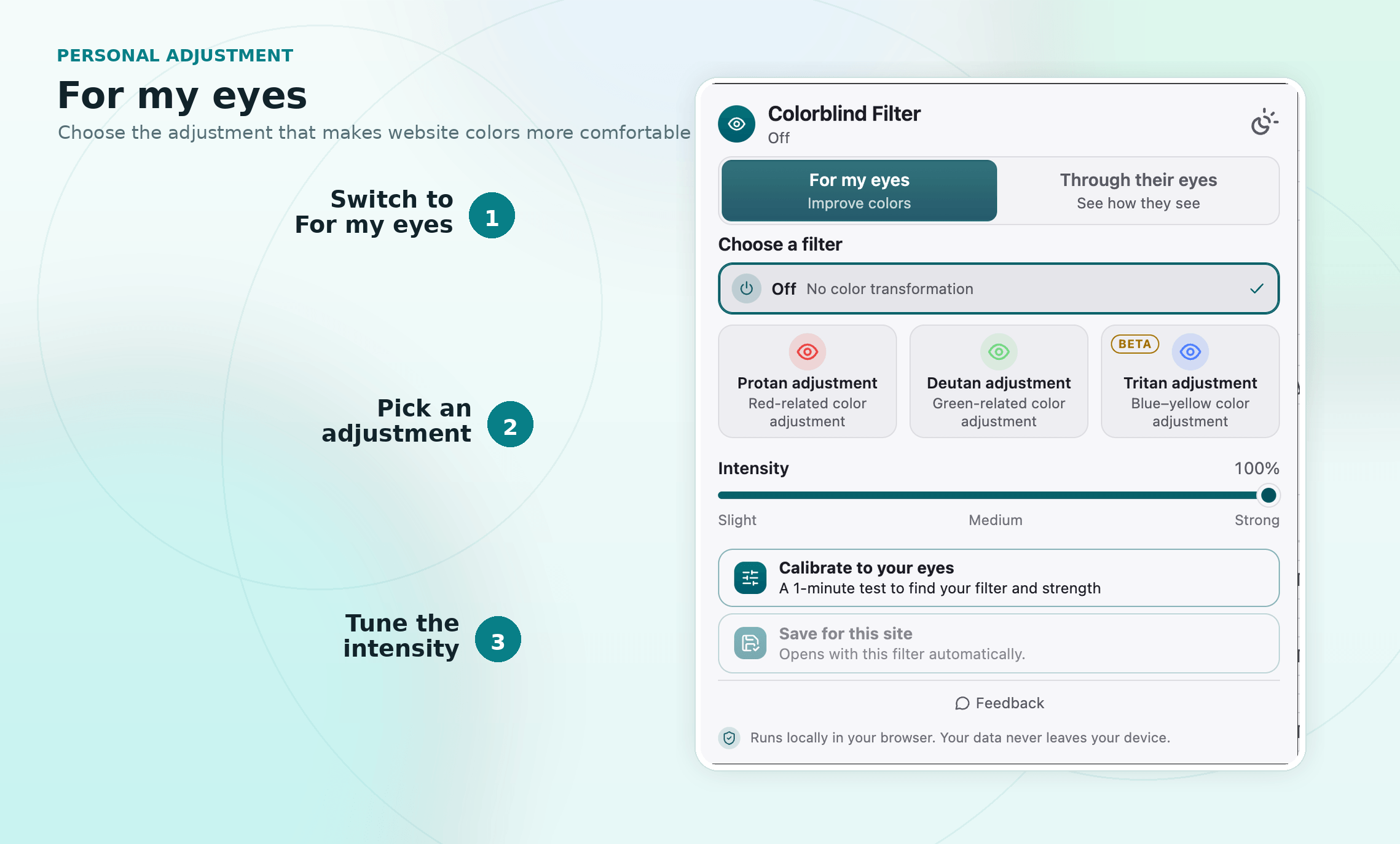
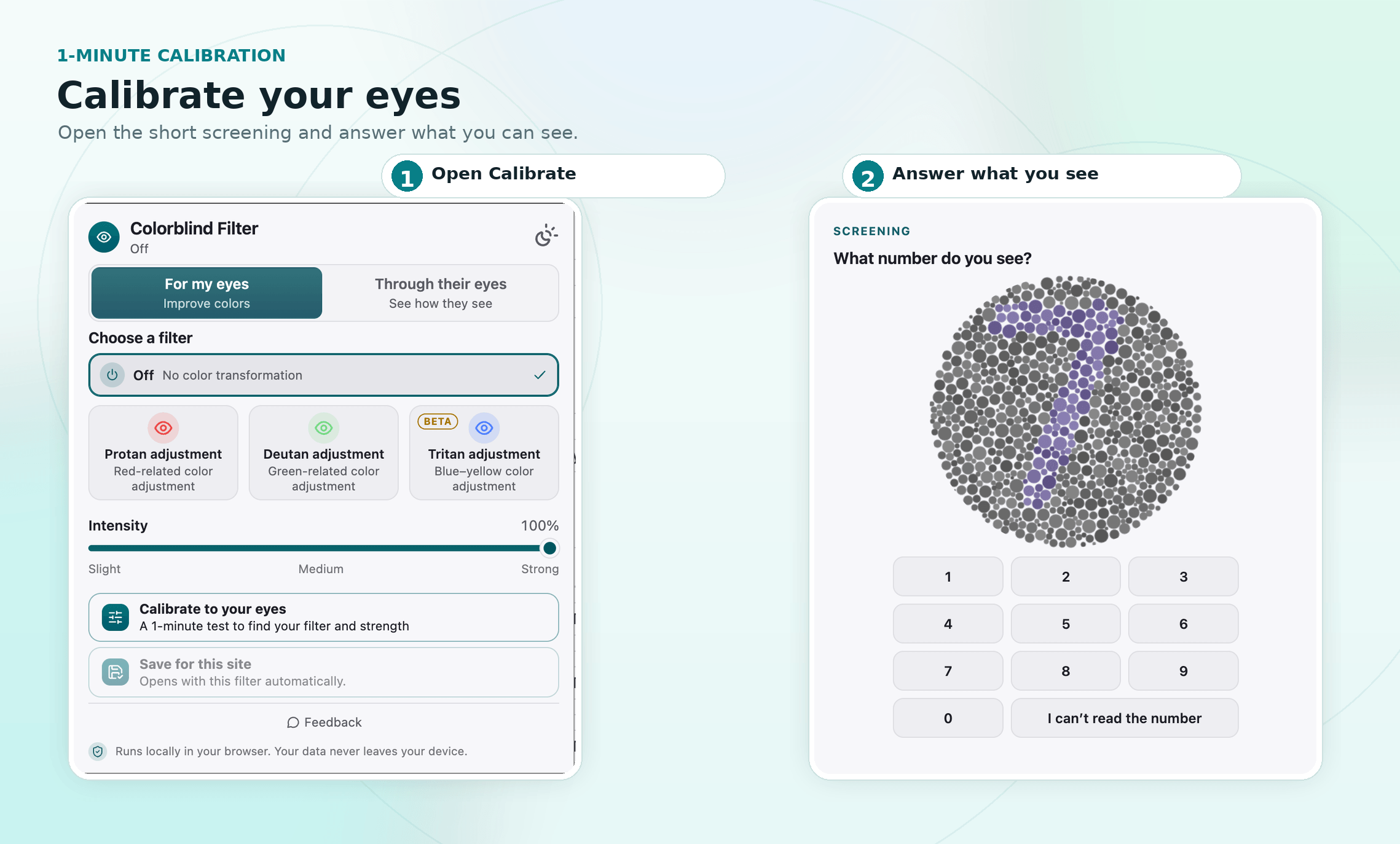
Not sure which adjustment to use? Open Calibrate to your eyes and complete the short Ishihara-style screening to help find a suitable filter and strength.